Easy Ad Blocker · Browser Extension 💻 Win/Mac/Linux
Easy Ad Blocker 📌

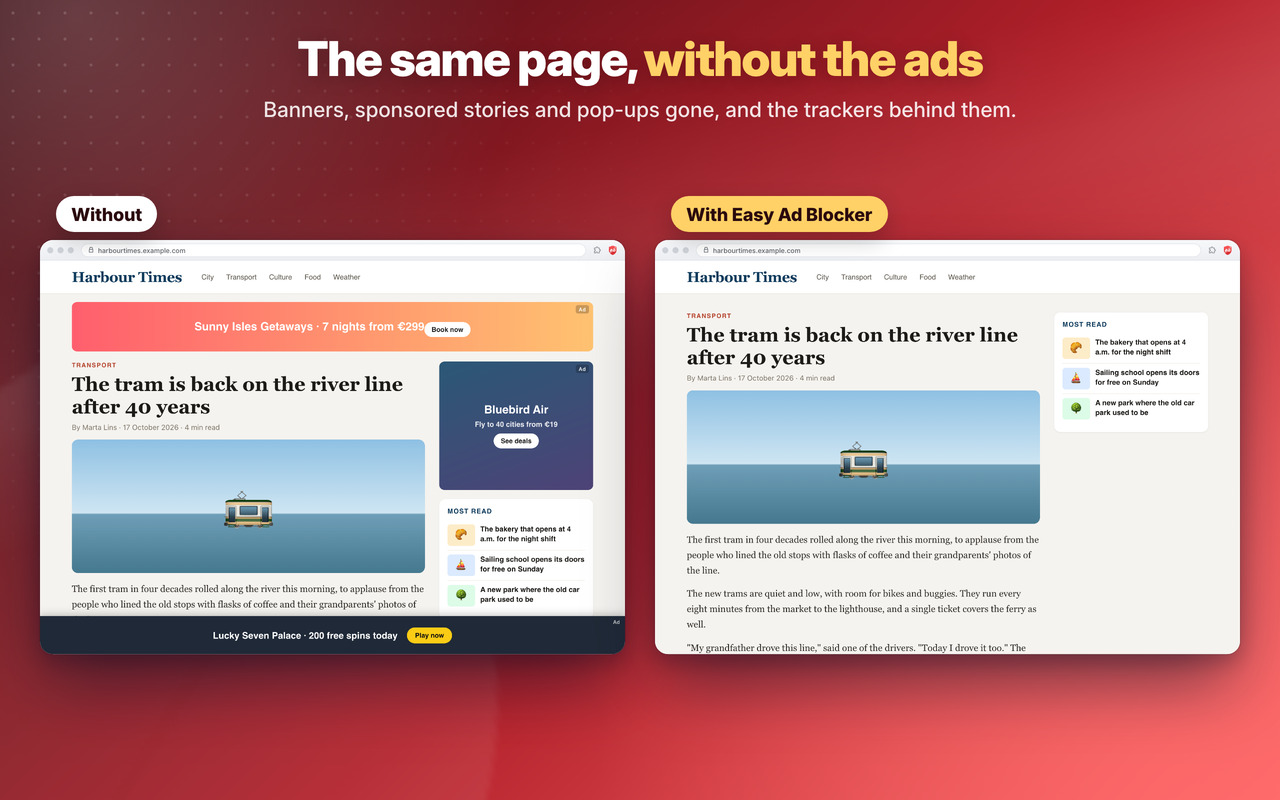
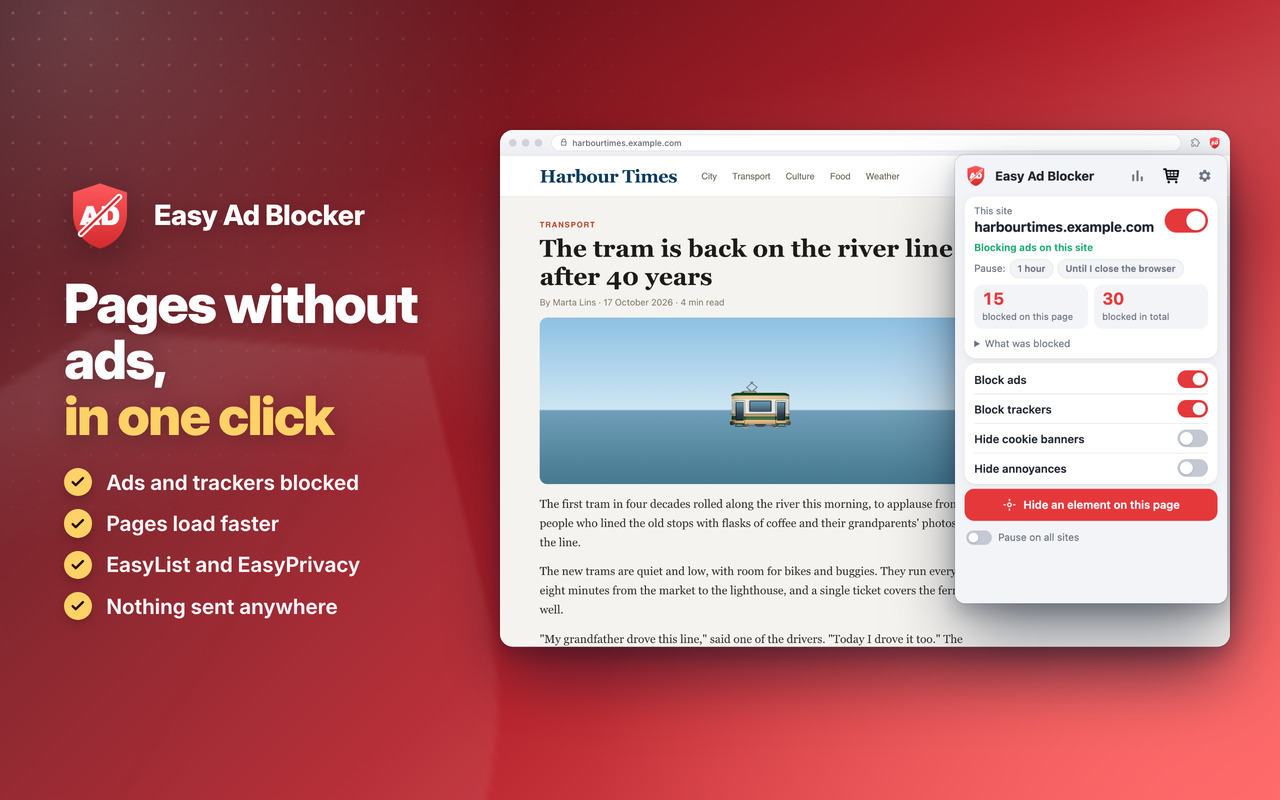
Pages without ads, in one click 📌 fast, clean and private: the open-source lists EasyList and EasyPrivacy block ads and trackers inside the browser 🚨

Blocks ads and trackers 🛡️

Banners, pop-ups and the trackers that follow you from site to site are gone: pages load faster and use less data 🚀

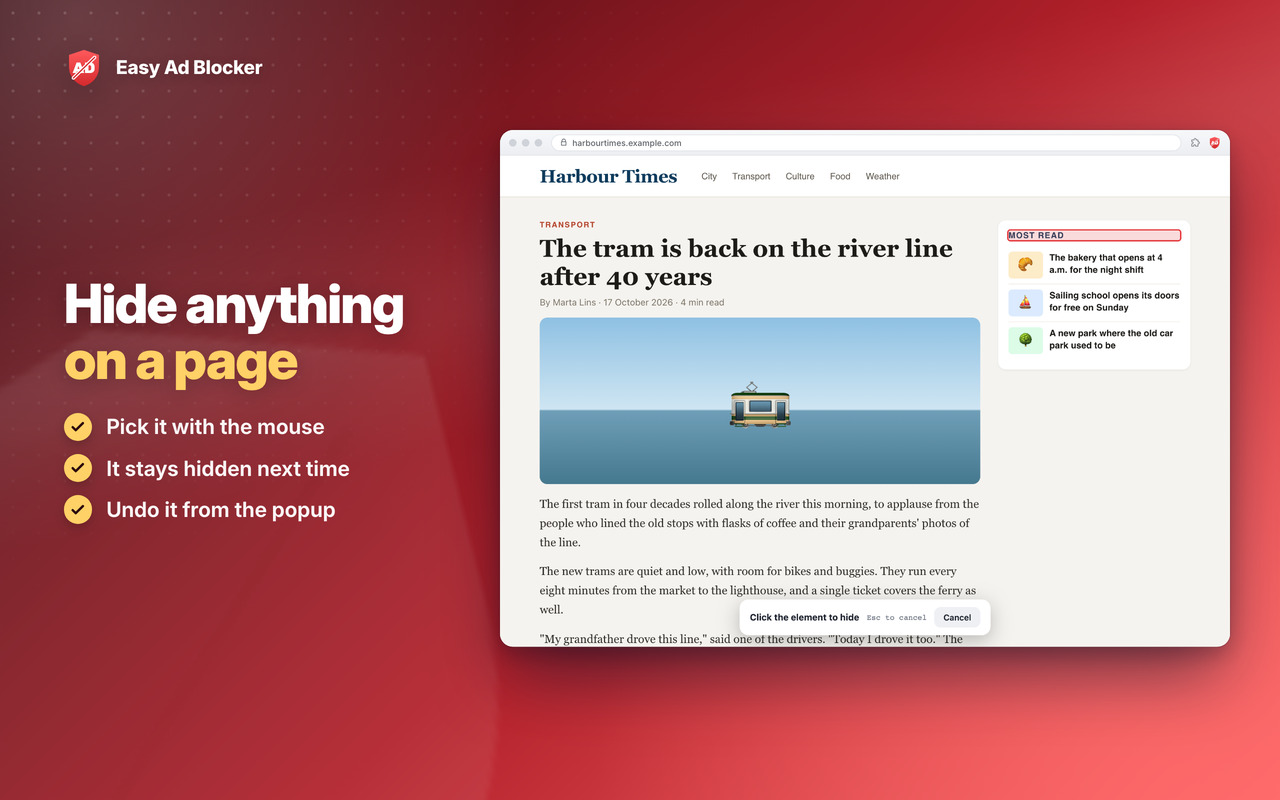
Hide anything ✂️

Pick anything on a page with the mouse and it stays hidden; undo it from the popup 😍

Private 🔒

Nothing is sent anywhere: the lists are inside the extension. One click turns it off on a site you want to support 🙂


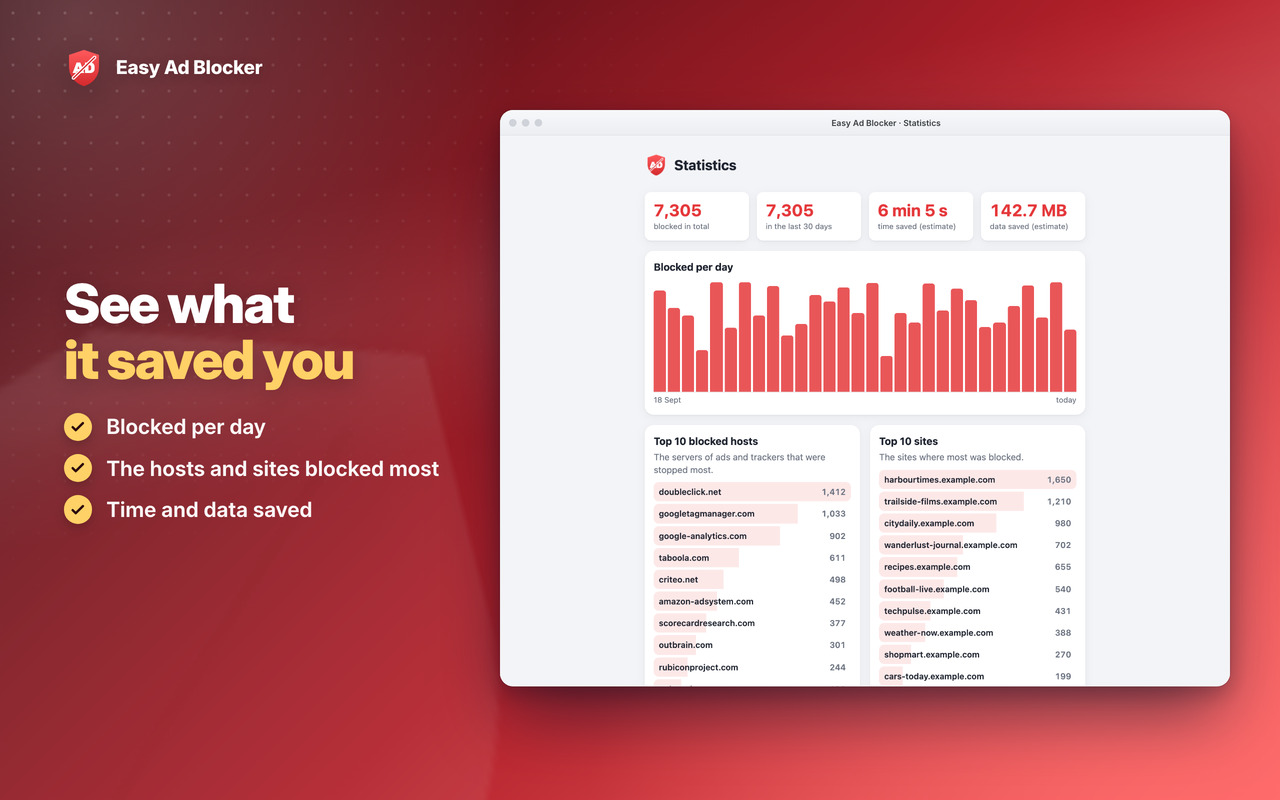
See what it saved you

Blocked ads and trackers counted on the icon and in the statistics, for every site 📊
Easy Ad Blocker: See what it saved you

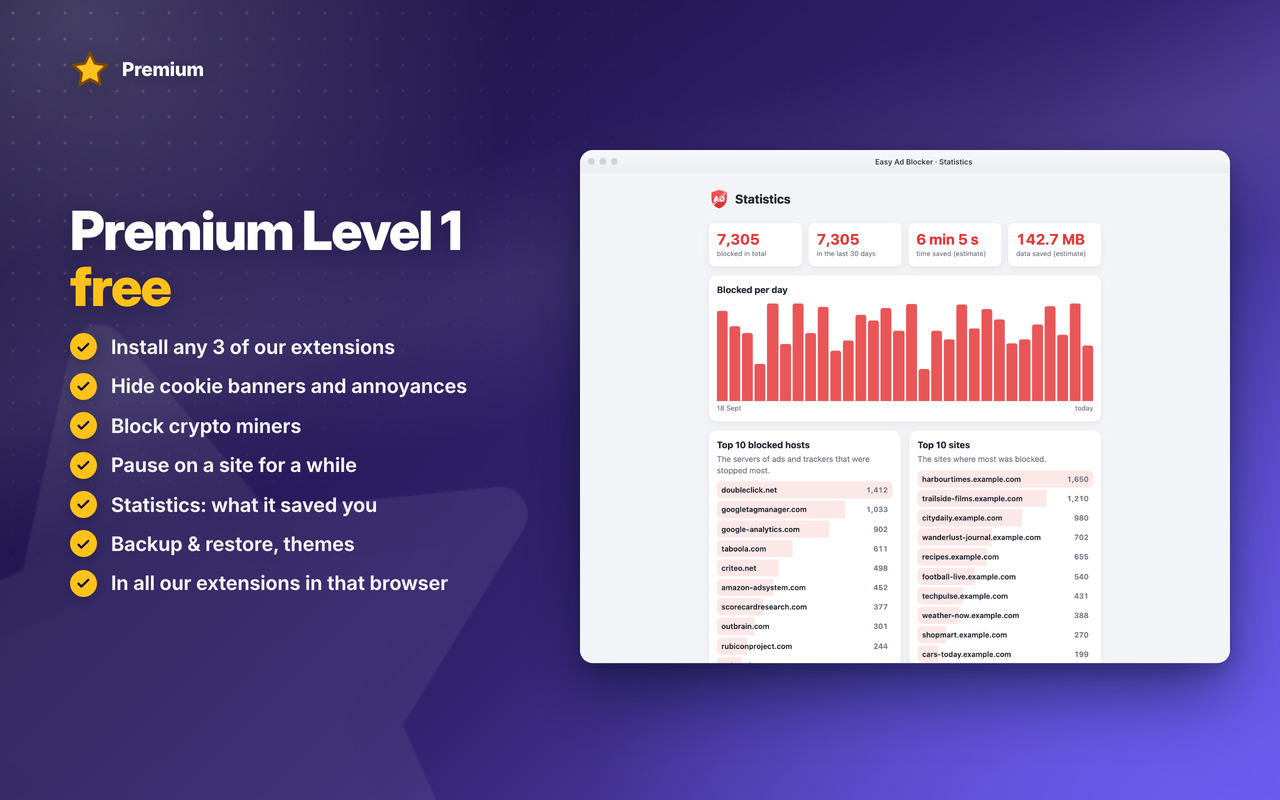
Premium Level 1

Cookie banners, annoyances and crypto miners blocked, pause, statistics, backup and themes ⭐
Easy Ad Blocker: Premium Level 1

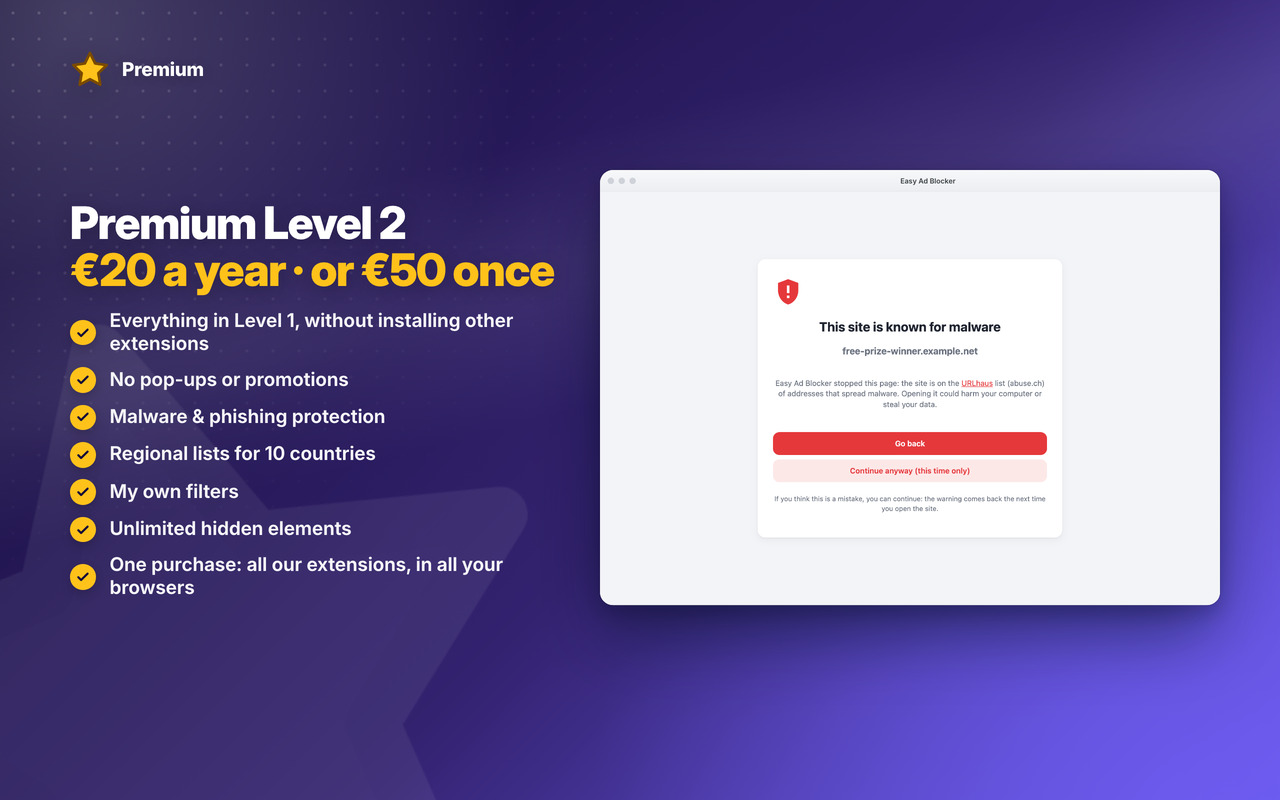
Premium Level 2

Malware and phishing protection, regional lists, your own filters and distraction control 👑
Easy Ad Blocker: Premium Level 2

Download

Coming Soon!

Coming Soon!

Coming Soon!

Easy Ad Blocker


Changelog

v1.1 17/10/2026

✨ NEW Premium Level 1: hide cookie banners and annoyances, block crypto miners, pause on a site, statistics, backup & restore, themes
👑 NEW Premium Level 2: malware & phishing protection, regional lists for 10 countries, your own filters, unlimited hidden elements
🙈 Hides the “turn off your ad blocker” messages (Adblock Warning Removal List)
🛒 Premium in the popup’s cart, with the silver or gold star on the toolbar icon
🐞 A site allowed with “www.” in Settings is fully allowed now

OLDER

v1.0 16/10/2026
🎉 First version: ads and trackers blocked with EasyList and EasyPrivacy, inside the browser
✂️ Hide anything on a page with the element picker
⌨️ Alt+Shift+B turns blocking off or on for the site
📊 What was blocked on each page, and the count on the icon



Permissions

Browser Extension 💻 Win/Mac/Linux
  • “declarativeNetRequest” – The browser's own blocking: the filter lists' rules block ads and trackers before they load, without the extension reading your pages.
  • “declarativeNetRequestFeedback” – Shows which rules blocked what on the page you're on ("What was blocked" in the popup).
  • “webRequest” – Counts the blocked requests of each tab for the number on the icon and the statistics; nothing is changed or sent.
  • “webNavigation” – Knows when a page opens in a tab, to start its count again and hide the elements the lists and you chose.
  • “scripting” – Puts the hiding rules (CSS) into the pages and runs the element picker when you ask for it.
  • “tabs” – Reads the address of the page you're on, so the popup shows its site and its count, and the switch works for that site.
  • “activeTab” – Access to the tab you're on when you click the icon, for the popup and the element picker.
  • “storage” – Saves your settings, allowed sites, hidden elements and statistics on your computer.
  • “unlimitedStorage” – Storage is limited to 5MB of data that may not be enough for the lists' hiding rules, your filters and statistics.
  • “notifications” – Desktop notifications, e.g. the weekly "blocked this week" note, or when the App is updated.
  • “contextMenus” – The right-click menu: hide this element, pause on this site, statistics; and more settings when you right-click the App icon.
  • “alarms” – Ends a pause after 1 hour and sends the weekly note on time.
  • “system.display” – Detects the display size to open the statistics window at a size that fits your screen.
  • “host_permissions” – Ads and trackers can come from any site, so the extension must work on every page you visit. Also used to show the Tips – Tricks – News and to allow intercommunication with other WWEvents Apps.
  • “all_urls” – We cannot predict ahead of time which sites you will visit, so the extension works on any page.