Easy Video Controls: Speed & Volume Booster · Browser Extension 💻 Win/Mac/Linux
Easy Video Controls 📌

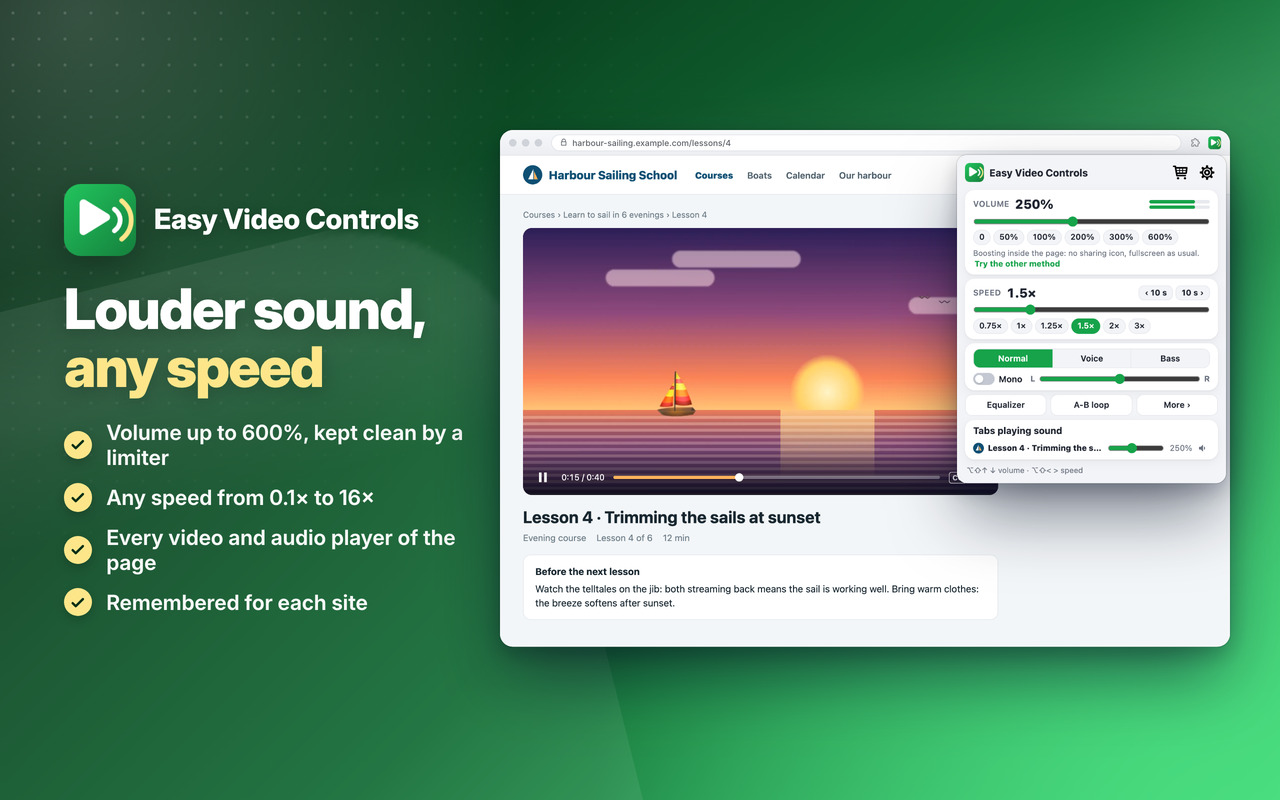
Louder sound and any speed on the videos you watch 📌 up to 600%, from 0.1× to 16×, remembered for each site 🚨

Boost inside the page 🔀

No sharing icon, fullscreen as usual; the tab's sound only where the page can't be reached, and the popup says which and why 🔊

Easier listening 🎧

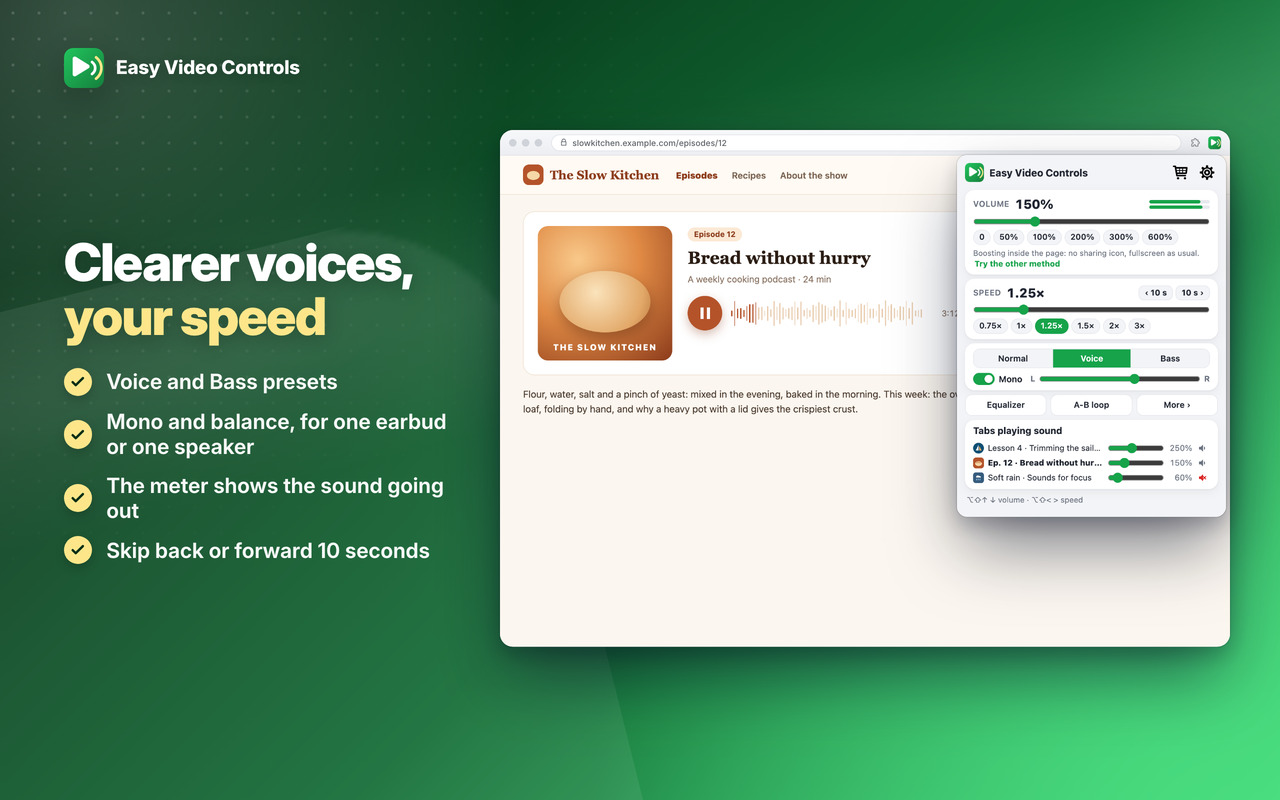
Normal, Voice and Bass presets, mono and left/right balance, for one earbud or one speaker 🎚️

Private 🔒

No ads, no account, nothing about you collected: the sound is handled on your computer 🙂


Clearer voices, your speed

Voice preset, mono and balance, and the speed you like, back by themselves on each site 🎧
Easy Video Controls: Speed & Volume Booster: Clearer voices, your speed

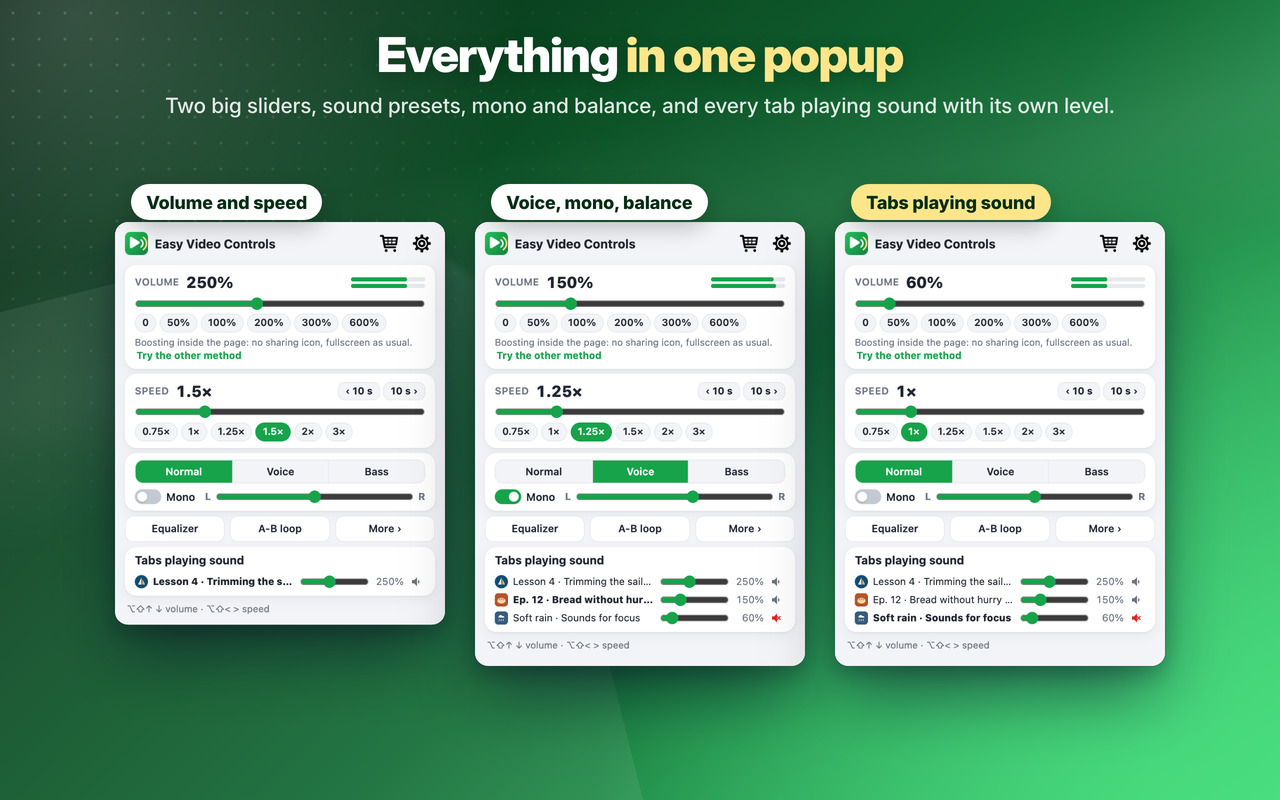
Every control in one popup

Volume, speed, sound presets, and every tab playing sound with its own level and mute ⏯️
Easy Video Controls: Speed & Volume Booster: Every control in one popup

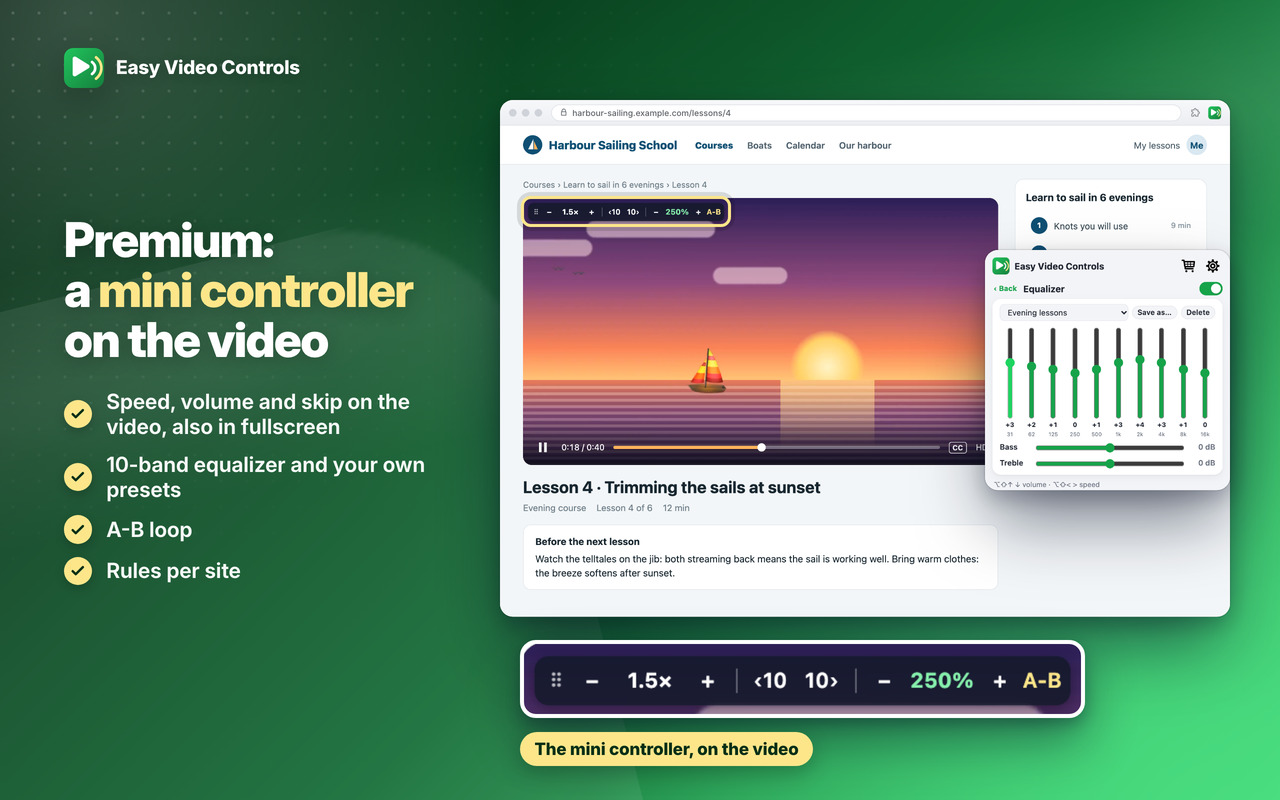
A controller on the video

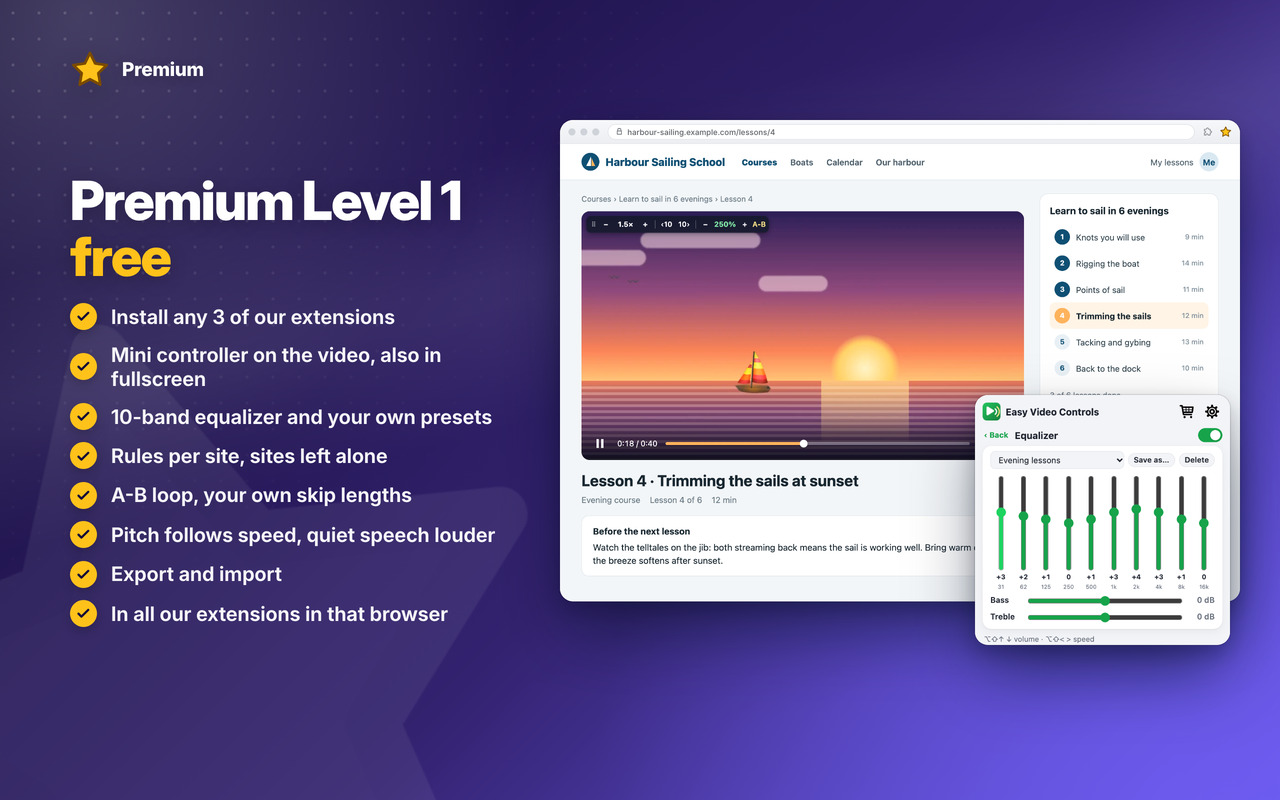
Premium: speed, volume and skips on the video, also in fullscreen, and a 10-band equalizer 🎛️
Easy Video Controls: Speed & Volume Booster: A controller on the video

Download

Coming Soon!

Coming Soon!

Coming Soon!

Easy Video Controls: Speed & Volume Booster

Premium

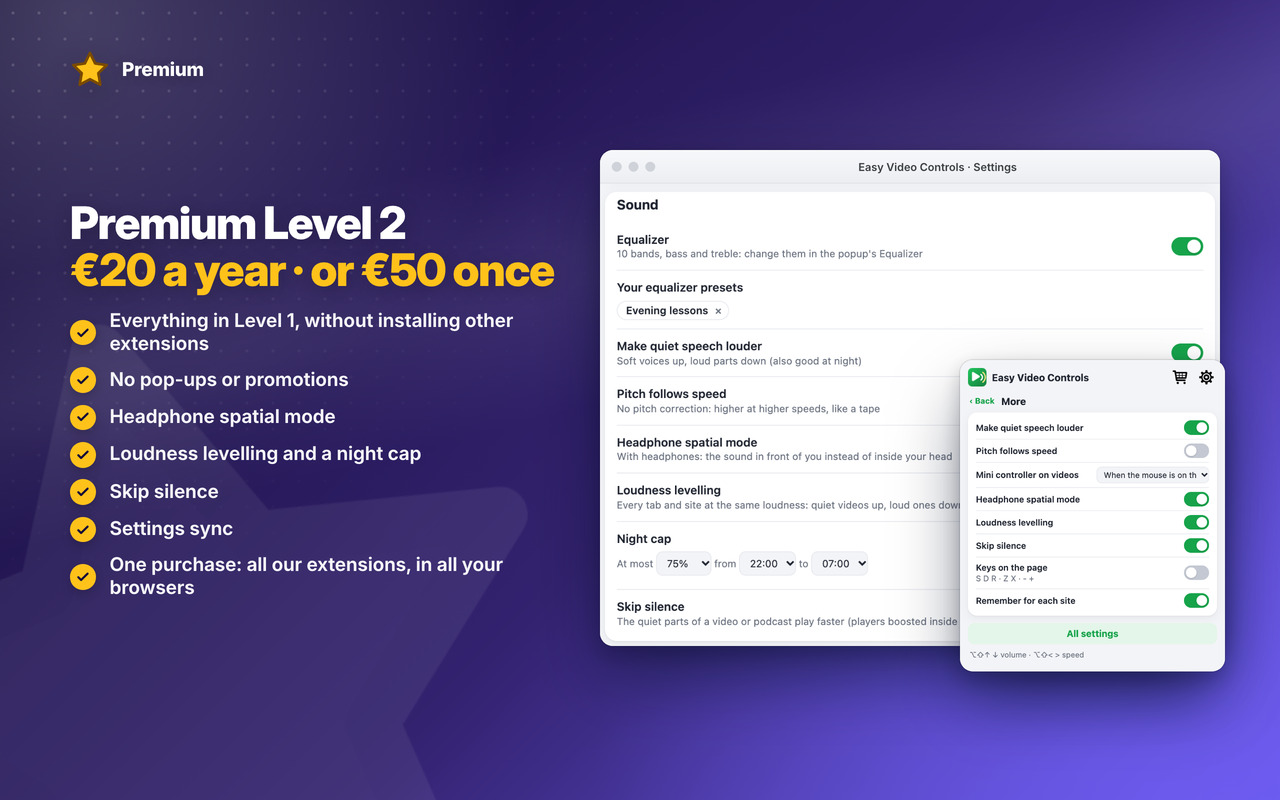
Two levels, in all our extensions: Premium Level 1 is free with any 3 of them installed, Premium Level 2 is €20 a year or €50 once.

Checkout shows the price in your own currency. Then, on the Premium page of any of our extensions (Premium Features in its menu, or its cart icon), click Already paid? Restore your purchase.
Premium Level 1

Premium Level 1 · free

With any 3 of our extensions installed, in that browser:

  • Mini controller on the video
  • 10-band equalizer
  • Rules per site
  • A-B loop
  • Your own skip lengths
  • Pitch follows speed
  • Make quiet speech louder
  • Export and import
Premium Level 2

Premium Level 2 · €20 a year or €50 once

  • Everything in Level 1, without installing other extensions
  • No pop-ups or promotions
  • Settings sync
  • Headphone spatial mode
  • Global shortcuts
  • Loudness levelling and night cap
  • Skip silence
  • Premium in all our extensions, in Chrome, Edge and Firefox, with one purchase
  • Early access to new features
  • Priority support by email
  • New Premium features included
10-band equalizer
Mini controller on the video
Make quiet speech louder

See all Easy Video Controls Premium features →


Changelog

v1.0 17/11/2026

🎉 First version: volume up to 600% and any speed from 0.1× to 16× for the videos and audio of a page
🔀 Boosts inside the page first: no sharing icon, fullscreen as usual; the popup says which method and why
💾 Your volume and speed come back by themselves on each site
🎧 Normal, Voice and Bass, mono and left/right balance
📋 Every tab playing sound in one list, each with its own level and a mute button
⌨️ Keyboard shortcuts, optional keys on the page, skip back and forward 10 seconds
⭐ Premium Level 1: mini controller on the video, 10-band equalizer, rules per site, A-B loop, your own skip lengths, pitch, quiet speech louder, export and import
👑 Premium Level 2: settings sync, headphone spatial mode, global shortcuts, loudness levelling and a night cap, skip silence



Permissions

Browser Extension 💻 Win/Mac/Linux
  • “storage” – Used to save settings on your local computer: each site's volume, speed and sound, your equalizer presets, your site rules and shortcuts.
  • “activeTab” – Access to the tab you're on when you click the icon, use a shortcut or the right-click menu, to boost its sound where its player can't be reached from inside the page.
  • “tabCapture” – Boosts a tab's sound above 100% on pages where it can't be done inside the page. The sound is processed on your computer, never recorded, stored or sent.
  • “offscreen” – Plays the boosted sound of a tab through your volume, equalizer and limiter, from a hidden page of the extension, while the boost is on.
  • “scripting” – Starts the volume and speed controls in the tabs that were already open when you installed the extension, and asks each frame of a page which players it found.
  • “tabs” – Lists the tabs playing sound with their titles, so you can set each one's level or mute it, and knows the site of the tab you're on for its saved volume and speed.
  • “contextMenus” – Allows adding more settings when you right-click a page (Boost this tab's sound, Normal speed and volume) and when you right-click the App icon in the browser toolbar.
  • “notifications” – Used to send desktop notifications, for example when the App is updated.
  • “host_permissions” – Permission to access all hosts/domains, because videos and audio play on every kind of site: the extension changes the volume and speed of the players on the page you open, on your computer. Nothing from the pages is sent anywhere. Also used to show the Tips – Tricks – News and to allow intercommunication with other WWEvents Apps.
  • “all_urls” – We cannot predict ahead of time which sites you will visit, so the extension works on any page.