
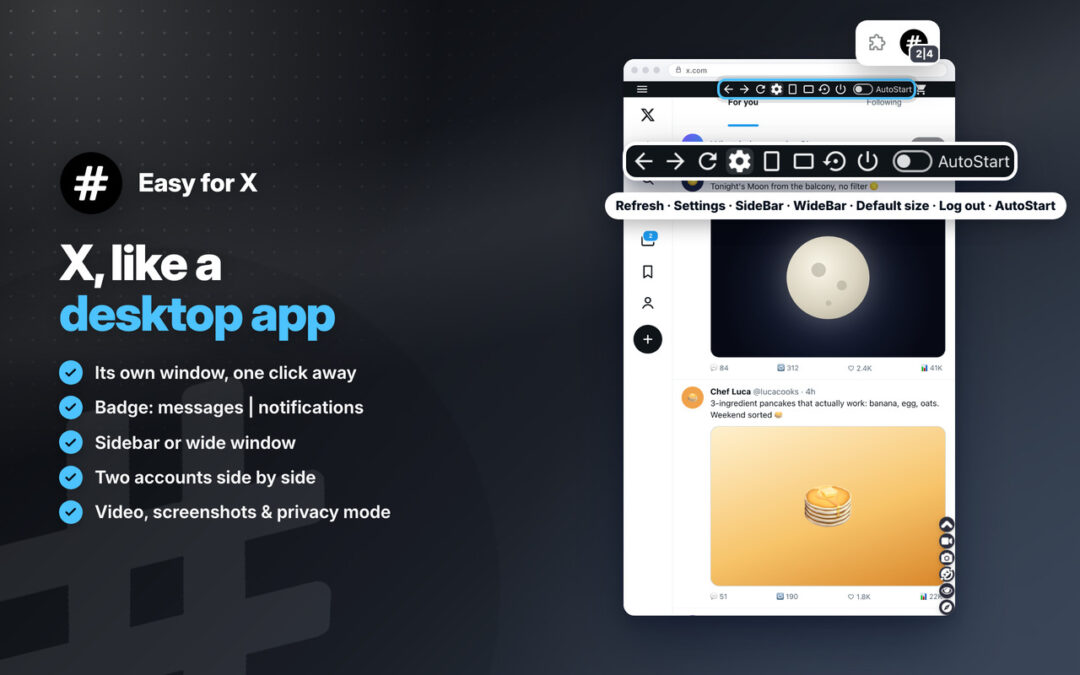
X, formerly Twitter, is where news breaks first. But in a browser tab it is easy to lose: it hides among twenty other tabs, and every visit turns into a long scroll.
A separate window helps you check it quickly and get back to work. In this post we show how our free extension Easy for X opens X in a compact window of its own, like a desktop app, in Chrome, Microsoft Edge and Firefox.
Why a separate window helps
- Focus: X stays out of your work tabs until you choose to open it.
- Quick access: one click on the toolbar, and it is there.
- Notifications at a glance: the icon tells you when something new arrives, without opening anything.
What Easy for X does
Easy for X opens X’s mobile view in a compact window: a cleaner interface that is lighter on CPU, memory and network than a full browser tab, all on the official site. It is our own extension, not made by X.
- Your timeline, trends and breaking news: post, repost, like and reply.
- Messages with your friends, and videos and live streams.
- The badge on the icon shows your new messages and notifications.
- SideBar or WideBar in one click; a second window or two accounts side by side.
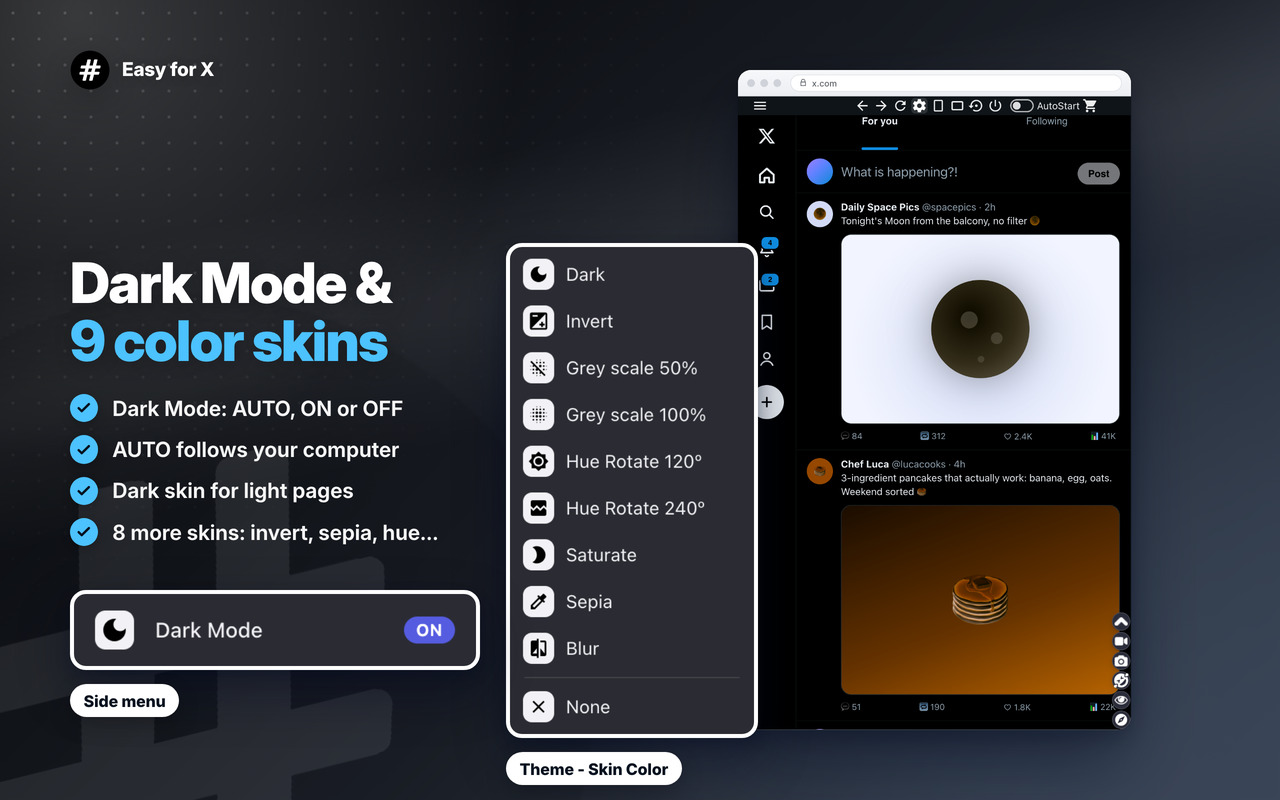
- Dark mode (automatic, on or off), nine skins and an emoji keyboard.
- A window screenshot and a short recording of the window.
- Incognito mode, which keeps the window dimmed until you point at it; auto-start with the browser; right-click a link to open it there.
Prefer the phone? Easy for X is also an Android app; you will find it on its project page.
How to start, in three steps
- Add Easy for X to your browser (the buttons are below).
- Click its icon and log in to X as usual.
- Pin the icon, and choose SideBar to keep X next to the page you are reading.
See it in action:
A tab, or Easy for X?
| X in a browser tab | Easy for X | |
|---|---|---|
| How you open it | Find the tab, or type the address | One click on the toolbar |
| New messages | Only when you look at the tab | On the icon, at a glance |
| Two accounts | Log out and in again | Side by side, in two windows |
| Weight | A full desktop page | The light mobile view |
Tips
- Check X at set moments: the badge tells you when something is waiting, so you do not need to keep it open.
- Use two windows for a personal and a work account.
- Right-click a link to X anywhere on the web to open it in the compact window.
- Turn on dark mode in the evening.
Conclusion
With Easy for X, X becomes a quick, light window instead of a tab that swallows your afternoon: one click to look, one click to close, and your new messages right on the icon. Free in Chrome, Microsoft Edge and Firefox.
All the details are on its project page; see also what Premium adds.
More from us: Chrome extensions, Edge extensions and Firefox add-ons.